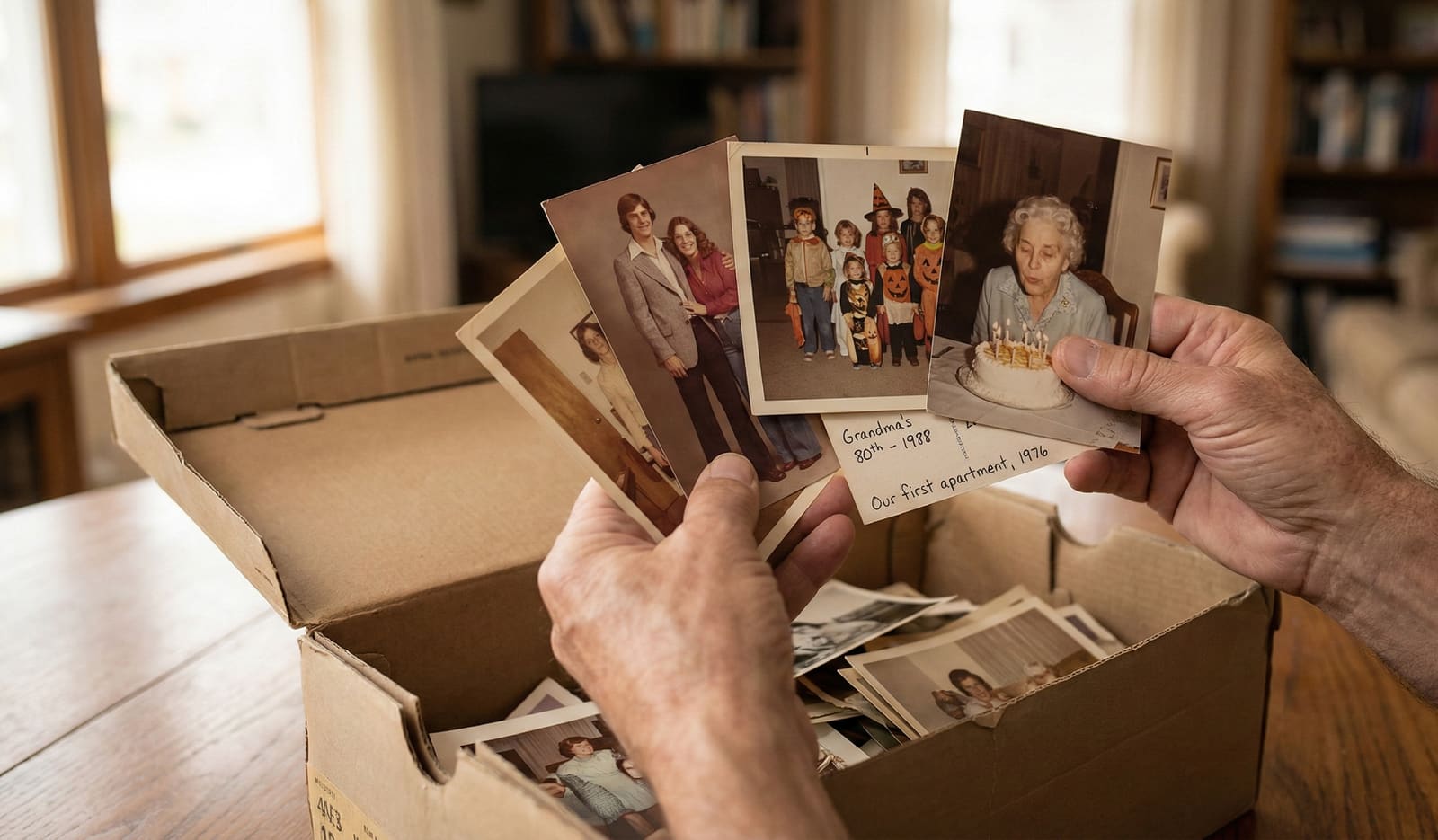
Knowing the decade narrows who a stranger can be. Drop in one photo and see where it lands.
To identify the unnamed people in old family photos, you work from three kinds of evidence: what you already know, the faces themselves, and the context around each photo. Start with the pictures you can name and ask your oldest relatives who they recognize. Then compare the same face across different ages, and use the event, the place, and the clothing era to narrow down who a stranger could be.
You know the feeling. A box of photographs, and half the faces are strangers. A wedding no one can place. A baby who grew up to be someone you loved, or someone you never got to meet.
Who are these people? Putting a name to a face is one of the most rewarding parts of caring for a family archive. It turns a pile of pictures into a family story you can follow.
This guide walks you through five practical steps, in order, from the easiest wins to the harder detective work.
Why is it so hard to identify old family photos?
The hard truth is that most old photos were never labeled. The people who took them knew exactly who was in the frame, so they never wrote it down. There was no reason to.
Time does the rest:
- Memories fade. Faces blur together across the decades, and the story behind a photo grows fuzzy even for the people who lived it.
- The elders pass. Often the one person who could name everyone is gone, and their knowledge went with them.
- Photos travel unlabeled. Pictures get split between relatives, mailed, and inherited, drifting further from the names that once belonged to them.
None of this means the names are lost for good. It means you become the detective. The clues are still there, in the photos and in the people who remain.
Do the urgent part first. The living memories of your oldest relatives are the one clue that has an expiration date. Everything else, the faces and the physical photos, will wait for you. The people who remember will not.
How do you put names to the faces?
Work through these five steps in order. Each one narrows the field, and together they solve most mysteries.
Step 1: Start with what you already know
Begin where you are certain, then work outward. This is the single most useful habit in the whole process.
- Sort the named from the unnamed. Set aside every photo where you already know who is who. These are your anchors.
- Work outward from your anchors. An unknown face standing next to your known grandmother, at what looks like the same event, is probably family or a close friend. Named photos help you name the ones beside them.
- Ask your oldest relatives first, while you still can. Sit down with grandparents, great-aunts and uncles, and older cousins. Show them the photos and listen. They often recognize faces no one else can.
- Record who tells you what. Write the name on a note, not on the photo itself, or record the conversation with your phone. Also write down who told you and how sure they were. "Aunt Rose thinks this is her cousin Bill" is worth far more than a guess with no source.
Never write directly on the front or back of an old photograph with ink. It can bleed through, and it lowers the photo's condition. Use a soft pencil on the back if you must, or keep your notes separate.
Step 2: Compare faces across your photos
Once you have some names, the faces themselves become clues. The same person appears again and again across a collection, at different ages.
- Find the same person at different ages. Line up photos side by side. A distinctive feature, a strong brow, a gap-toothed smile, a particular set of the eyes, often carries from childhood to old age. If you can trace a known face back through the years, you can match it to younger, unlabeled pictures.
- Look for family resemblance. Relatives share features. A nose, a jawline, a way of standing can point you to the right branch of the family, even when you cannot name the exact person yet.
- Watch for the constants. A wedding ring, a favorite necklace, glasses, or a particular hairstyle can help you follow one person through a set of photos taken close together.
- Let Phossil gather the same face for you. This side-by-side work is exactly what Phossil's on-device face grouping does automatically. When you switch it on, it collects every photo of the same person into one place, right on your own device, so you can review and name that person once instead of hunting through the whole box. You still decide who each person is. More on how this stays private is below.
Comparing faces rarely gives you a name on its own. It gives you a strong candidate that you then confirm with the other clues.
Step 3: Use context to narrow WHO it can be
Every photo was taken somewhere, at some time, for some reason. That context shrinks the list of people it could possibly be.
- Read the event. A wedding, a christening, a graduation, or a funeral gathers a predictable group of people. If you know whose wedding it was, you can start naming the guests around the couple.
- Read the location. A backyard you recognize, a family farm, a church, or a town all point to a branch of the family that lived there. Who was in that place, in that era?
- Read the clothing era. The style of clothing and hair tells you roughly when the photo was taken. Once you know the decade, you can rule out anyone who was too young, too old, or not yet born. Our companion guide walks through this in detail: How to Date Old Photographs, and the harder recent era in Dating 1990s and 2000s Photos.
- Read who else is in frame. People pose with the people they know. Identify one or two others in the picture, and the strangers between them usually belong to the same family or friend group.
When you combine an event, a place, an era, and a couple of known faces, an unknown person often has only one reasonable answer.
Step 4: Read the physical clues
The photograph itself is an object with a history. Handle it gently and let it talk.
- Turn it over. The back is the first place to look. Handwritten names, dates, places, and short notes are the fastest answer you will ever get. Even a first name or a year is a real lead.
- Find the photographer or studio stamp. Older portraits often carry a studio name and town, printed on the front border or the back. That tells you where the photo was taken, which points to where the family lived at the time.
- Follow the album it came from. Photos kept together were usually related. An album belonged to a person, and its pages tend to hold their family, their friends, and their events. The order and grouping are clues in themselves.
- Look for enclosures. Envelopes, folders, and processing sleeves sometimes carry a date stamp, an address, or a name that the photo itself does not.
Step 5: Ask for help
You do not have to solve every face alone. A wide community of people enjoys exactly this kind of puzzle, and some of them may be your distant relatives.
- Post to genealogy forums and family-history groups. Dedicated communities on the large family-history sites, and Facebook groups built around a surname, a town, or a region, are full of people who love to help. A clear scan and everything you already know often draws a fast answer.
- Contact a local historical society. If a photo is tied to a specific town, the local historical or genealogical society may recognize a studio, a building, or even a family. Many keep detailed local records.
- Try a reverse image search. Uploading a scan to a reverse image search can occasionally surface the same photo posted elsewhere online, already identified by another relative. It is a long shot, but it costs you nothing to try.
- Share within the family. The cousin you rarely speak to may have the same photo, labeled. Sending scans around the family is one of the most reliable ways to fill in names.
When someone helps you name a face, record who told you and how they knew. A named photo is only as trustworthy as its source.
How does Phossil help you identify people?
Naming the people is yours to do, and it should be. What Phossil does is gather the same faces together, hold onto the clues, and keep your work, so your detective work actually sticks.
- Group the same face across your whole archive, privately. When face grouping is offered for your account, switching it on gathers every photo of the same person together, so you name each person once and that name follows them everywhere. The grouping runs entirely on your own device. The faceprint, the part that recognizes a person, is created there, kept there, and never uploaded to Phossil. It is never synced between your devices, never sold, and never used to train AI. Children's faces are treated exactly the same way. It stays off until you switch it on, and you can turn it off or delete everything at any time. Read the full plain-language story: how face grouping keeps faces on your device.
- Tag a person once, and it holds everywhere. When you name someone, Phossil keeps that person organized and searchable across your whole archive. Name a face today, and you can find every photo of that person later, in one place, without hunting through boxes again.
- The date narrows who a stranger can be. Phossil dates your undated photos and shows you a date range with a confidence band, never a fake exact year. Knowing the decade rules out anyone who was too young or not yet born, which is often the clue that cracks a mystery. See the research behind the dating engine, or how this approach compares with a single-year photo dater.
- Place and event clues travel with the photo. As Phossil organizes your collection by time and by what it sees, the context you need to place a face stays attached to each picture instead of living in your head.
- Your work is preserved. The names you add, and the connections you build, become a permanent part of your family archive, ready to pass on.
Where the line is: Phossil can group the same face together, but it does not tell you who anyone is. Putting a name to a face is human work, done with care, and it stays yours. There is no cloud or server-side face recognition: the part that recognizes a face runs on your own device and never leaves it. You can read exactly how your photos are handled and how face grouping works before you upload a single picture.
Common questions
How do you identify unknown people in old family photos?
Start with the photos you can already name and work outward from them. Ask your oldest living relatives who they recognize, and write down what they tell you. Then compare the same face across different photos and ages, and use the event, the place, and the clothing era to narrow who a stranger could be.
Who should I ask about old family photos?
Ask your oldest living relatives first, while they are still here to tell you. Grandparents, great-aunts and uncles, and older cousins often recognize faces that no one else can. Record their answers, by voice or in writing, so the knowledge is saved and not lost a second time.
Can I identify someone from just their face?
Sometimes. If you can find the same person clearly named in another photo, you can match the face across pictures. Family resemblance, such as a shared nose, brow, or smile, can also point you to the right branch of the family. Faces alone are rarely enough, so combine them with dates, places, and what you already know.
What clues on the photo itself can help me identify people?
Turn the photo over. Handwritten names, dates, and notes on the back are often the fastest answer. A photographer or studio stamp tells you the town where it was taken, and the album a photo came from usually groups it with related people and events.
Does Phossil recognize faces automatically?
Phossil can group the same person's face across your archive if you turn on face grouping, so you name each person just once. That grouping runs entirely on your own device, and the faceprint that recognizes a person is never uploaded, never synced, and never used to train AI. It does not tell you who anyone is: putting names to faces is still yours to do, and there is no cloud face recognition.