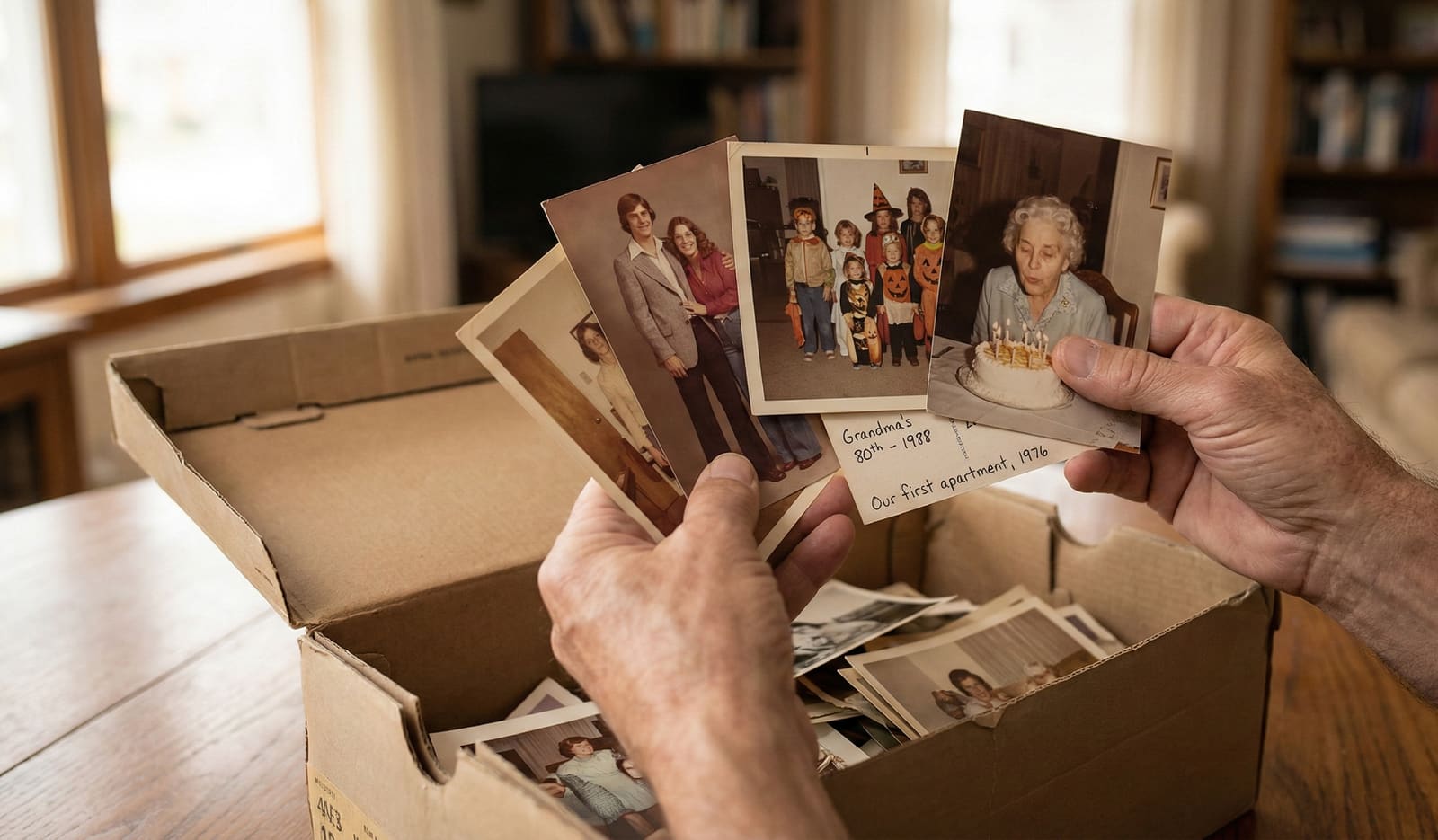
Photomyne is an excellent, fast photo-scanning app. It turns shoeboxes of loose prints into digital albums, and it does that job very well. But Photomyne does not date your photos. Every date is a tag you type by hand, and your albums live in Photomyne's cloud behind an auto-renewing subscription. Phossil is the layer that comes after scanning. It takes the photos you have already scanned and dates them automatically, using a method called The Phossil Method that returns a date range with a confidence band instead of one fake-precise year. It then organizes those dated photos into a searchable, chronological family archive, including the 1990s and 2000s snapshots most tools refuse to date. You buy Phossil once. There is no subscription, and exporting your archive is always free. Photomyne captures the picture. Phossil recovers the story of when it was taken.
You have already scanned your photos. Now see when they were taken. Upload your first photos and watch The Phossil Method place them on one family timeline.
Photomyne and Phossil at a Glance
These two tools do different jobs. Photomyne is a scanner and album. Phossil is a dated, searchable archive. Here is how they line up.
| What you care about | Photomyne | Phossil |
|---|---|---|
| Main job | Fast bulk scanning of loose prints | Dating and organizing scanned photos |
| How photos get their dates | Manual tags you type by hand | Automatic, with The Phossil Method |
| 1990s and 2000s photos | Typed by hand, like every other date | Dated automatically |
| Photos without faces (houses, cars, scenery) | Typed by hand | Dated from the visual evidence in the frame |
| Where your photos live | Photomyne's cloud | Your archive, no cloud lock-in |
| Payment model | Auto-renewing yearly subscription | Buy once |
| Export your files | A paid feature | Always free, never gated |
How Do the Photos Get Their Dates?
This is the real difference, and it is worth being precise about. In Photomyne, a date is something you type. Its own help pages are clear: "You can add tags to photos including dates, for a specific date or just the year." That is a manual tag. Photomyne can auto-crop, auto-rotate, and colorize a scan, but it never works out when the photo was taken. The when is left to your memory and your thumbs.
For a handful of photos, typing dates is fine. For a shoebox of hundreds, it is an afternoon of guessing. And most of those prints have no date on the back, which is exactly why they landed in the shoebox in the first place.
Phossil does the dating for you. The Phossil Method uses Bayesian temporal inference to read many clues in the image at once: clothing, the print format, objects and vehicles in the background, faces, and even paper texture. Instead of a single number, it returns a date range with a confidence band. A photo you know is your 2003 wedding lands in a range that contains 2003, not a lone year that says 1998 and burns your trust in one glance. Independent research describes this kind of probabilistic, evidence-aggregating inference as the serious way to estimate when a photo was taken (Paplham and Franc, 2025).
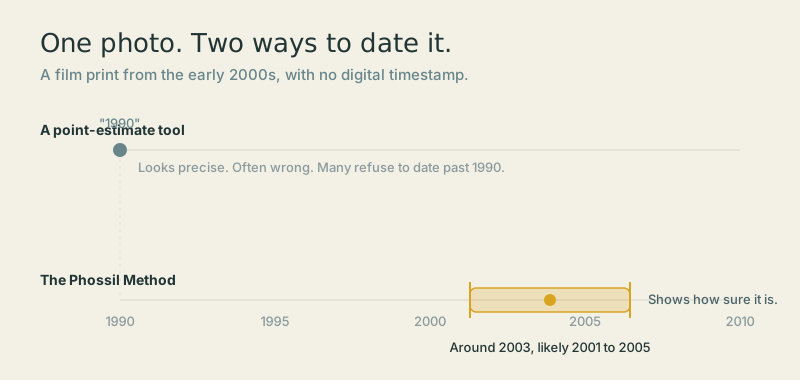
It also dates the photos other tools refuse: the 1990s and 2000s color prints and phone snapshots, plus scenery, cars, and houses that have no visible face. If you want the full method, the guide on how to date old photographs walks through the same clues by hand.
Where Do Your Photos Live, and Can You Leave?
Photomyne's scanning app is genuinely well loved. It carries around a 4.7-star rating on the App Store across tens of thousands of reviews, and that reputation is earned on capture speed. Multi-photo-per-shot scanning really is faster than a home flatbed for loose prints. Credit where it is due.
The difference is the model, not the scanning. Photomyne runs on an auto-renewing yearly subscription, and your albums live in Photomyne's cloud. You are renting a home for your photos, on a clock. Phossil is a one-time purchase. Your archive is yours, there is no cloud lock-in, and export is never gated behind a plan.
So if you are wondering whether you will be charged again next year, the honest answer with Phossil is short: no. It is a one-time purchase. You can read exactly how your photos are handled, and see the buy-once model on the pricing page. The short version is buy once and own the archive, rather than pay every year to rent an album.
What Do You Get After Scanning?
With Photomyne, the finish line is a set of digital albums. Good scans, grouped, in the cloud. From there, the organizing and the dating are your job.
With Phossil, the finish line is a dated, searchable archive. Every photo is placed in time with a date range and a confidence band, then arranged into one chronological family timeline you can search and share. Undated snapshots stop being a pile and become a story with a beginning, a middle, and an end. The scans go in, and a family history comes out.
That is the whole shape of it. Photomyne asks you to become the archivist. Phossil is the archivist.
When Is Photomyne the Better Choice?
Be honest with yourself about the job in front of you. If your main job is getting a shoebox of loose prints into your phone quickly, Photomyne's multi-photo capture is genuinely excellent, and Phossil does not replace that step. Phossil is what happens next: it dates and organizes the photos you have already captured.
In other words, these tools are not really rivals for the same minute of work. Photomyne is the fastest way to get the pixels off the paper. Phossil is the best way to recover the when and turn those pixels into a timeline. Many families will use a scanner to capture, then bring the scans to Phossil to date and organize. That is a fine plan.
When Do Families Choose Phossil?
Families choose Phossil when the scanning is basically done and the real question begins: when was this taken, and where does it belong in our story? You reach for Phossil when:
- Your photos have no date on the back, and you want them placed in time without typing hundreds of tags.
- Most of your shoebox is from the 1990s and 2000s, the exact era other daters refuse.
- You want a range built to contain the real date, not a single guessed year you can disprove at a glance.
- You want to own your archive outright, with no subscription and no cloud holding your memories.
- You want a searchable timeline for the whole family, not a folder of loose files.
If that sounds like your shoebox, Phossil is built for exactly this moment.
The scanning is done. The story is still waiting. Bring your photos to Phossil and watch decades of undated snapshots settle onto one timeline.
Common questions
Does Photomyne date my old photographs automatically?
No. In Photomyne, dates are manual tags you type in yourself. As Photomyne's own help pages put it, you can add tags to photos including dates, for a specific date or just the year. Photomyne is excellent at scanning, but it does not infer when a photo was taken. Phossil does that part for you.
Will I be charged again next year with Phossil?
No. Phossil is a one-time purchase. There is no auto-renewing subscription, and exporting your archive is always free. You pay once and own your dated archive.
Can Phossil date photos from the 1990s and 2000s?
Yes. The Phossil Method dates old photographs from across the eras, including the 1990s and 2000s color prints and phone snapshots that most tools refuse to date. It returns a date range with a confidence band instead of one fake-precise year, so a photo you remember is placed in a range built to contain the true date.
Do I still need Photomyne if I use Phossil?
If your main job is getting a shoebox of loose prints into your phone quickly, Photomyne's multi-photo capture is genuinely excellent, and Phossil does not replace that step. Phossil is what happens next: it dates and organizes the photos you have already captured.
What is The Phossil Method?
The Phossil Method uses Bayesian temporal inference to weigh many clues at once, including clothing, formats, objects, faces, and even paper texture. Instead of guessing a single year, it returns a date range with a confidence band, and you can correct any estimate in one tap.
Do my photos leave my home with Phossil?
You upload your scans from home, or scan any prints first. Nothing is mailed anywhere. Your archive is yours to keep and export at any time, with no cloud subscription holding it hostage.